
The “Smart Groups” tab explained
Presentation of the interface
Section titled “Presentation of the interface”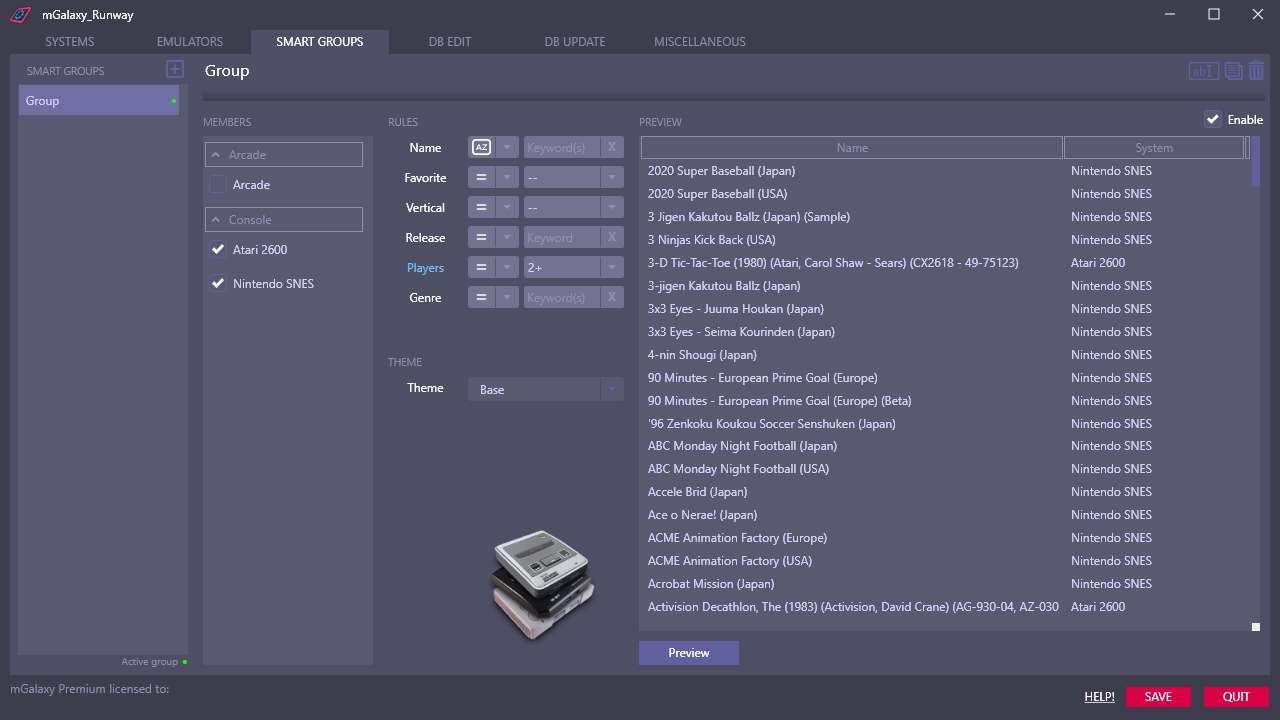 12345678
- Creation of a new group.
- Indication of the activity/inactivity of the group.
- The "Name", "Release" and "Genre" fields accept multiple values, separated by a comma.
- Group renaming.
- Group duplication.
- Group removal.
- To constitute an "intelligent" group, we select the systems which must be part of this group then the rules which we want to apply to this group.
For example, to create a group containing all the games of 2 systems, you just have to select the 2 systems...without applying any rule.
On the other hand, if we wanted to create a group containing only the favorites that we can play together, we would select the 2 systems and then add a rule for "Favorites" and another for "Players". - Activation/deactivation of the systems included in the group.
- Preview of the group content.
- Activation/deactivation of the selected group.