RetroAchievements
What is RetroAchievements?
Section titled “What is RetroAchievements?”RetroAchievements is a platform and community dedicated to enhancing the experience of playing retro video games. It provides a system for adding achievements, similar to those found in modern games, to older console and arcade games. RetroAchievements offers a way to challenge players to complete specific objectives or milestones within a game, providing an additional layer of goals and incentives for retro gaming enthusiasts. The RetroAchievements system works by integrating with compatible emulators or emulators modified to ensure compatibility. (https://retroachievements.org/download.php) To use RetroAchievements, players need to use a compatible emulator and enable RetroAchievements support within the emulator’s settings. Once enabled, players can connect to the RetroAchievements server, log in with their account, and start earning achievements while playing supported games. Achievements can range from completing specific levels or challenges to collecting certain items or achieving high scores.
Identification on RetroAchievements
Section titled “Identification on RetroAchievements”The first thing to do is to create an account (free) on RetroAchievements (https://retroachievements.org/createaccount.php)
RetroAchievements and mGalaxy
Section titled “RetroAchievements and mGalaxy”mGalaxy_Runway
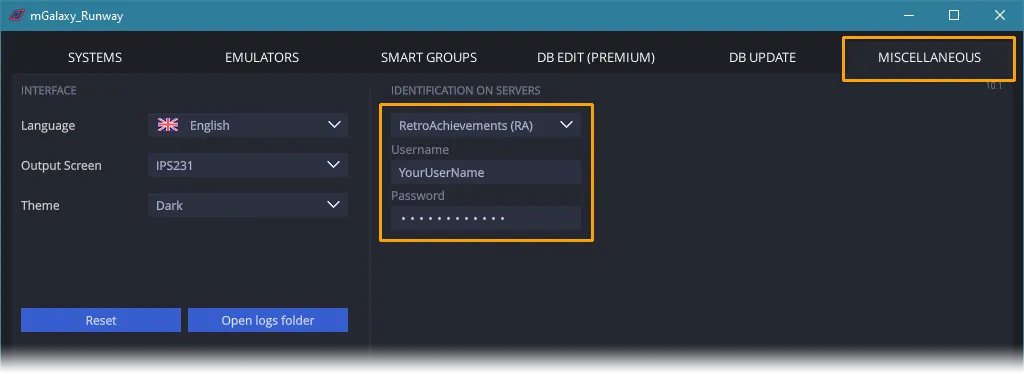
Section titled “mGalaxy_Runway”Once your account has been created on RetroAchievements, you can enter your credentials in mGalaxy_Runway.
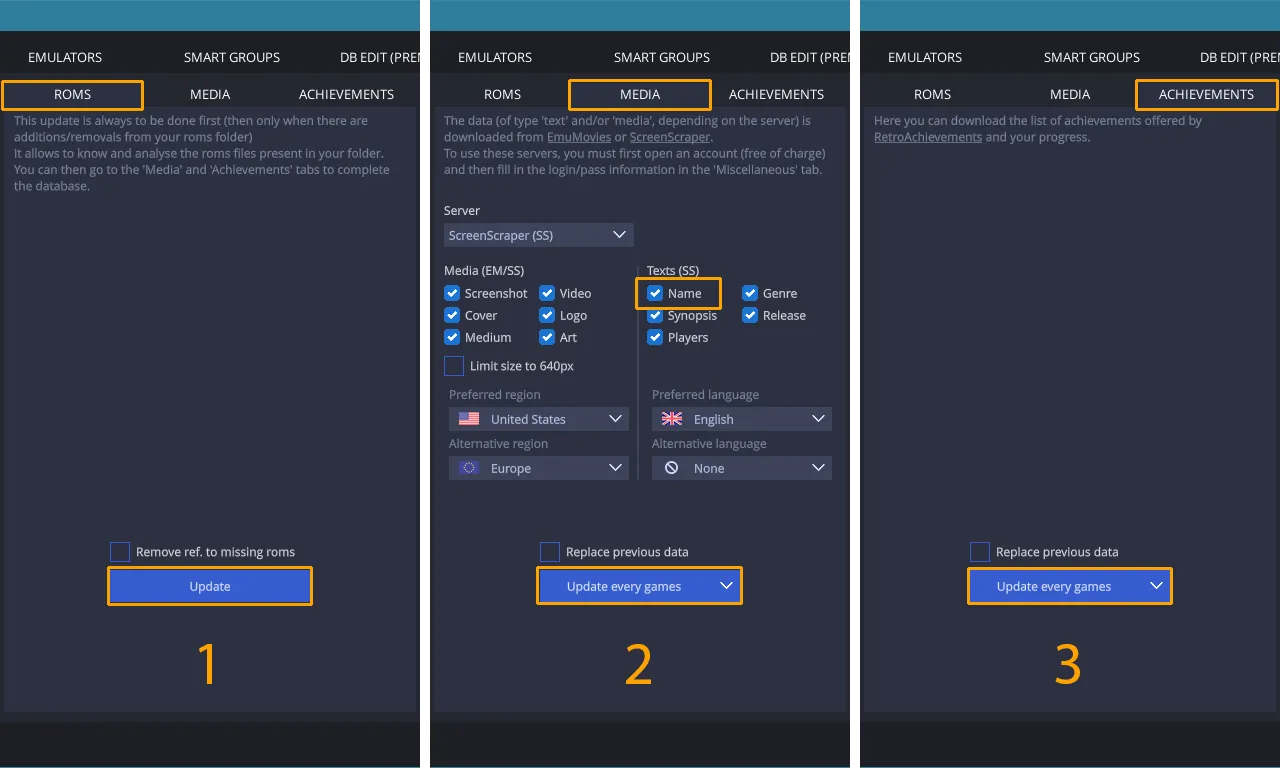
You can now populate the database with the elements available on RetroAchievements for the current system.
To do this, make sure you’ve created the ‘basic’ database (the one that audits the roms) and downloaded at least the ‘name’ information.
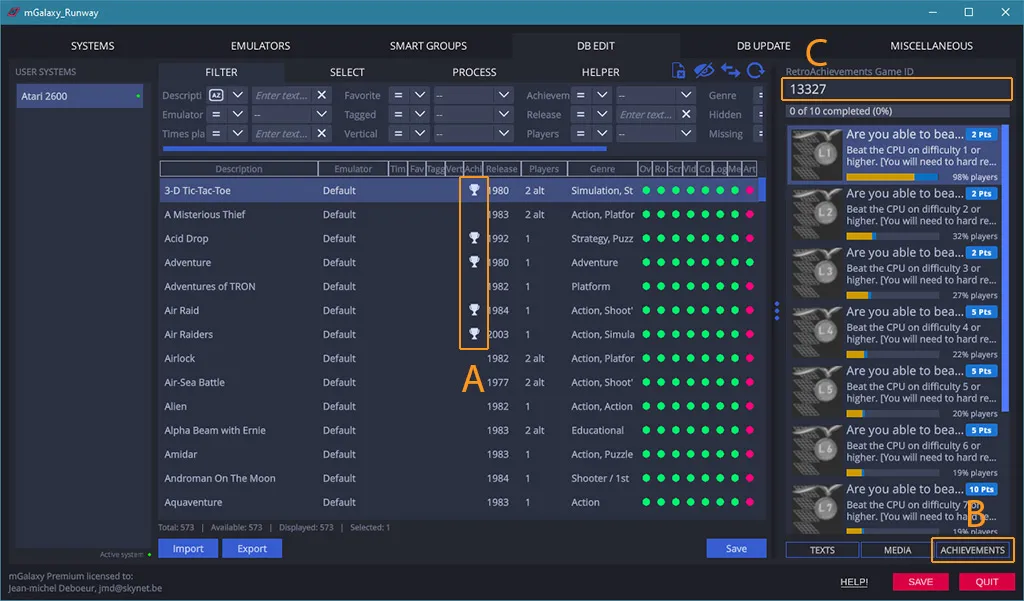
From now on, you can:
- See the games for which there is a ‘RetroAchivement’ (A)
- when a game is selected, see the Achievements offered and your progress (B)
- if the game ID can’t be found, or doesn’t match your expectations, you can manually enter another ID (C)
mGalaxy
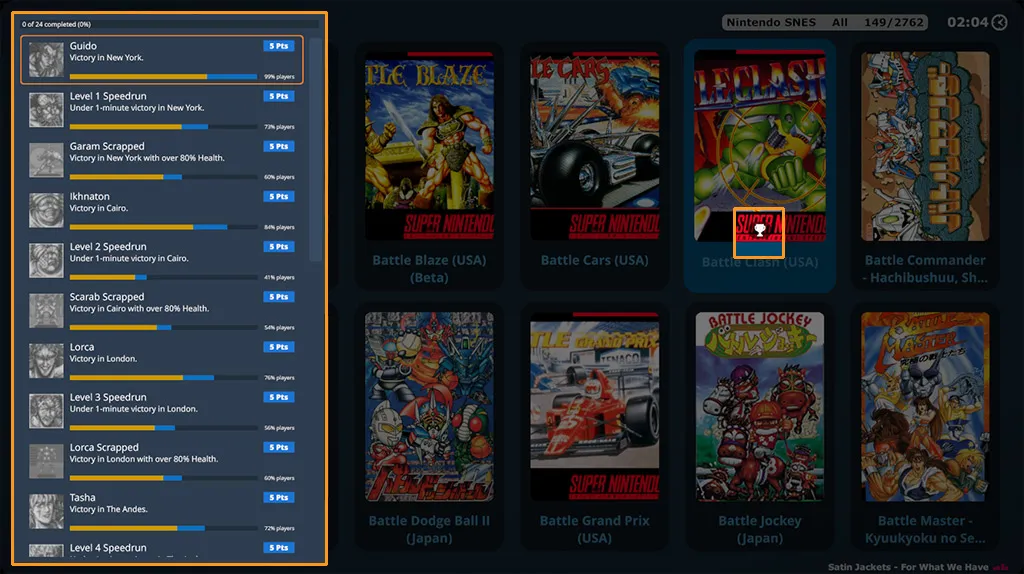
Section titled “mGalaxy”If a game contains achievements, the distinctive icon is displayed.
You can then call up the ‘RetroAchievements’ panel (default key: r) to list the achievements and progress.
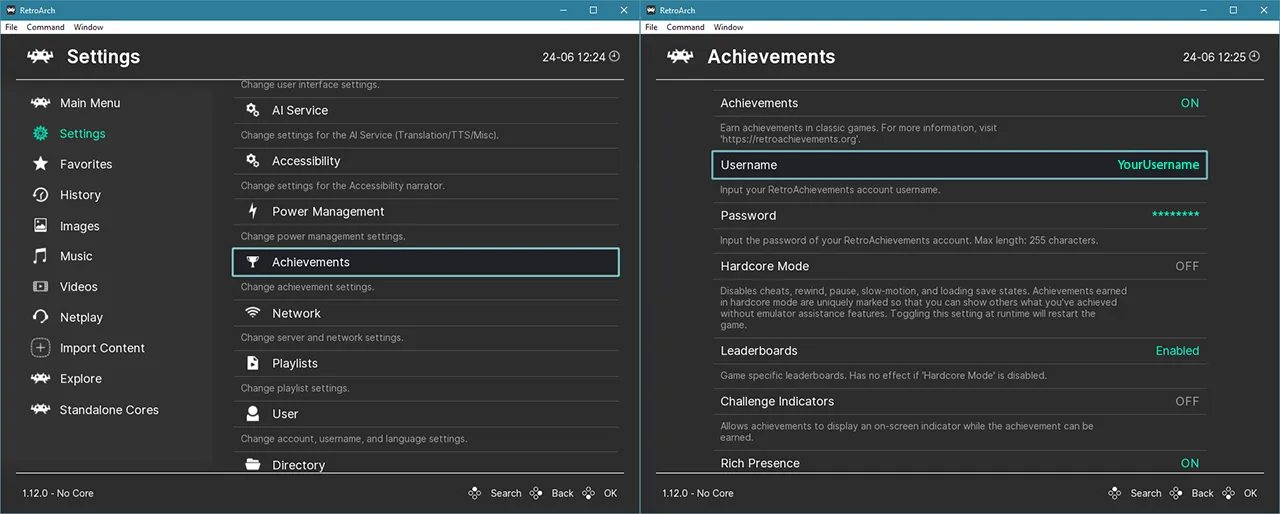
RetroAchievements and emulators, the RetroArch example
Section titled “RetroAchievements and emulators, the RetroArch example”For your progress to be up to date, the emulator must be compatible and the credentials must also be filled in. RetroArch > Settings > Achievements > Enter your credentials and you’re done 🙂